
How to Prepare for a Technical Interview in 2026 (With AI Practice Tools)
How to Prepare for a Technical Interview in 2026 (With AI Practice Tools)
You spent weeks refining your resume, tailoring cover letters, and applying to roles. Then the recruiter emails back: "We'd like to schedule a technical interview." Suddenly, the real pressure begins. One strong performance separates you from the offer. One weak one sends you back to the application grind.
Technical interview preparation 2026 looks fundamentally different from even two years ago. AI coding assistants are standard in the workplace, interviewers have adapted their questions accordingly, and candidates who leverage AI practice tools gain a measurable edge. This guide breaks down exactly how to prepare — from coding challenges to system design to behavioral rounds — with a realistic timeline you can follow.
Why Technical Interviews Have Changed
AI has permanently altered what companies test for — and the data backs it up. According to Karat's 2026 Engineering Interview Trends report, 71% of engineering leaders say AI is making technical skills harder to assess, yet 62% of organizations still prohibit AI use in their technical interviews. Meanwhile, tech leaders estimate over half of candidates use AI anyway despite those instructions. The industry is in the middle of a transition.
Here is what has shifted:
Problem-solving over memorization. Interviewers care less about recalling the exact implementation of Dijkstra's algorithm and more about whether you can reason through an unfamiliar problem.
AI-aware questions. Major companies are actively redesigning their formats. Google is piloting AI-assisted coding rounds where candidates use Gemini and are evaluated on prompt engineering, output validation, and debugging skills — not just whether they got the right answer. Meta has replaced one coding round with a 60-minute AI-assisted session where candidates can choose from GPT, Claude, or Gemini. The pattern, according to Karat's research, is "human-led, AI-enabled" — and it is becoming the emerging standard.
System design carries more weight. As AI handles more routine coding, the ability to architect scalable systems has become a stronger differentiator — especially for mid-level and senior roles.
Communication is non-negotiable. Remote-first teams need engineers who explain their thinking clearly. The "silent coder" approach no longer works.
If you are actively job searching in the AI era, understanding these shifts gives you a strategic advantage before you write a single line of code. And if recent layoffs have pushed you back into the market unexpectedly, the tech layoffs 2026 job search playbook covers how to navigate the market before you reach the interview stage.
The Three Pillars of Technical Interviews
Nearly every technical interview process tests three areas. Your preparation should cover all three, weighted by your experience level.
1. Coding Challenges
Algorithmic and data structure problems remain the core of most interview loops. You will typically face 1–3 rounds of live coding on a shared editor or whiteboard.
What gets tested: Problem decomposition, algorithmic thinking, code quality, edge case handling, and time/space complexity analysis.
2. System Design
For mid-level and senior candidates, at least one round focuses on designing a large-scale system. Junior candidates may get a simplified version or skip this entirely.
What gets tested: Trade-off analysis, scalability reasoning, distributed systems knowledge, and the ability to drive a design conversation.
3. Behavioral Interviews
Often underestimated, behavioral rounds carry real weight. Companies use them to assess collaboration, conflict resolution, and leadership potential.
What gets tested: Past experience, communication skills, cultural fit, and growth mindset.
AI Practice Tools That Actually Help
The biggest shift in technical interview preparation 2026 is the availability of AI-powered practice tools. Here is how to use them effectively.
Using ChatGPT, Claude, and Gemini for Mock Interviews
Large language models make excellent interview practice partners. They are available around the clock, endlessly patient, and can adapt to your skill level. Each has a different strength worth knowing before you start.
According to a 2026 comparison by Clave Prep: ChatGPT is fastest at generating large lists of likely interview questions by category. Claude prioritizes factual accuracy — rather than inventing plausible-sounding metrics, it flags gaps with placeholders, making it more reliable for STAR story rehearsal and system design critique. Gemini offers the largest context window, making it especially useful for pasting multiple job descriptions at once to identify recurring competency patterns across postings.
All three are general-purpose, however — none can conduct timed spoken mock interviews with structured scoring or track your improvement over sessions. That is where dedicated platforms (below) fill the gap.
How to practice with any LLM:
Prompt for a mock interview. Ask the AI to act as a technical interviewer at a specific company and level. Be specific: "Give me a medium-difficulty array problem similar to what Google asks L4 candidates."
Talk through your solution. Type out your thought process before writing code. This builds the habit of narrating your approach — critical in real interviews.
Request feedback. After submitting your solution, ask the AI to evaluate your approach, suggest optimizations, and point out edge cases you missed.
Simulate follow-ups. Real interviewers push back. Ask the AI to challenge your solution: "What if the input size is 10 million? What if the data doesn't fit in memory?"
Tip: Use AI mock interviews for system design too. Ask Claude to play the role of an interviewer for "Design a URL shortener" or "Design a real-time chat system," and have it push you on scalability, consistency, and failure handling.
AI Coding Assistants for Deliberate Practice
Tools like GitHub Copilot and Cursor are not just for work — they are powerful learning tools when used intentionally.
Write the solution yourself first, then compare with the AI's suggestion to spot patterns you missed.
Use AI to generate test cases for your solutions, including edge cases you might not consider.
Ask the AI to explain unfamiliar algorithms step by step, then implement them without assistance.
The key distinction: use AI to accelerate learning, not to skip it.
Dedicated Interview Platforms
Combine AI tools with structured platforms for the best results. The 2026 landscape has expanded significantly — AI-native interview simulators have joined the established platforms:
LeetCode — The largest problem bank with company-tagged questions. Focus on the curated "Top 150" or NeetCode 150 list rather than grinding randomly. Premium adds AI-assisted hints.
NeetCode — Free curated roadmap (Blind 75 + NeetCode 150) organized by pattern type with video walkthroughs. The best free starting point for structured self-directed prep.
Four-Leaf — An AI-powered conversational interview simulator that conducts voice-based mock interviews with rubric feedback across five dimensions including communication quality. Addresses the spoken-explanation gap that typed tools miss.
Interviewing.io — Anonymous mock interviews with engineers from top companies. Real human feedback on your performance. Sessions cost in the low hundreds of dollars, making it best reserved for your final weeks before interviews.
Pramp — Free peer-to-peer mock interviews. You interview someone, then they interview you.
Exercism — Language-specific practice tracks with mentorship, excellent for sharpening syntax fluency.
Coding Interview Prep Strategy
Random problem grinding is the least efficient way to prepare. A pattern-based approach delivers better results in less time.
Master These Core Patterns
Focus on recognizing problem patterns rather than memorizing solutions:
Two Pointers — sorted arrays, pair sums, container problems
Sliding Window — subarray/substring problems with constraints
Binary Search — sorted data, search space reduction
BFS/DFS — tree traversal, graph problems, connected components
Dynamic Programming — optimization problems with overlapping subproblems
Hash Maps — frequency counting, grouping, lookup optimization
Stack/Queue — parentheses matching, monotonic patterns, level-order processing
Heap/Priority Queue — top-K problems, merge-K sorted lists
The Practice Framework
For each problem you attempt:
Read and understand (2–3 minutes). Identify the pattern before writing code.
Plan your approach (5 minutes). Write pseudocode or bullet points. State the time/space complexity.
Implement (15–20 minutes). Write clean, readable code with meaningful variable names.
Test (5 minutes). Walk through your code with a small example. Check edge cases: empty input, single element, duplicates, negative numbers.
Reflect (5 minutes). If you got stuck, study the optimal solution and understand why it works. Add the pattern to your notes.
Applying deep work strategies for professionals to your practice sessions — eliminating distractions and focusing intensely for 60–90 minute blocks — will dramatically improve retention.
Language Choice
Pick one language and stick with it. Python remains the most popular choice for interviews due to its concise syntax. Java and C++ are strong alternatives if you are more comfortable with them. Do not switch languages mid-preparation.
System Design Interview Prep
If you are targeting mid-level or senior remote software engineering jobs in 2026, system design rounds are where you differentiate yourself.
Core Concepts to Study
Scaling: Horizontal vs. vertical scaling, load balancing, caching strategies
Databases: SQL vs. NoSQL trade-offs, sharding, replication, indexing
Messaging: Event-driven architectures, message queues, pub/sub patterns
Storage: Blob storage, CDNs, data lakes
APIs: REST vs. GraphQL vs. gRPC, rate limiting, authentication
Reliability: Redundancy, failover, circuit breakers, monitoring
The System Design Interview Framework
Use this structure for every system design question:
Clarify requirements (3–5 minutes). Ask about scale, features, and constraints. Distinguish functional vs. non-functional requirements.
Estimate scale (2–3 minutes). Back-of-envelope calculations: users, requests per second, storage needs.
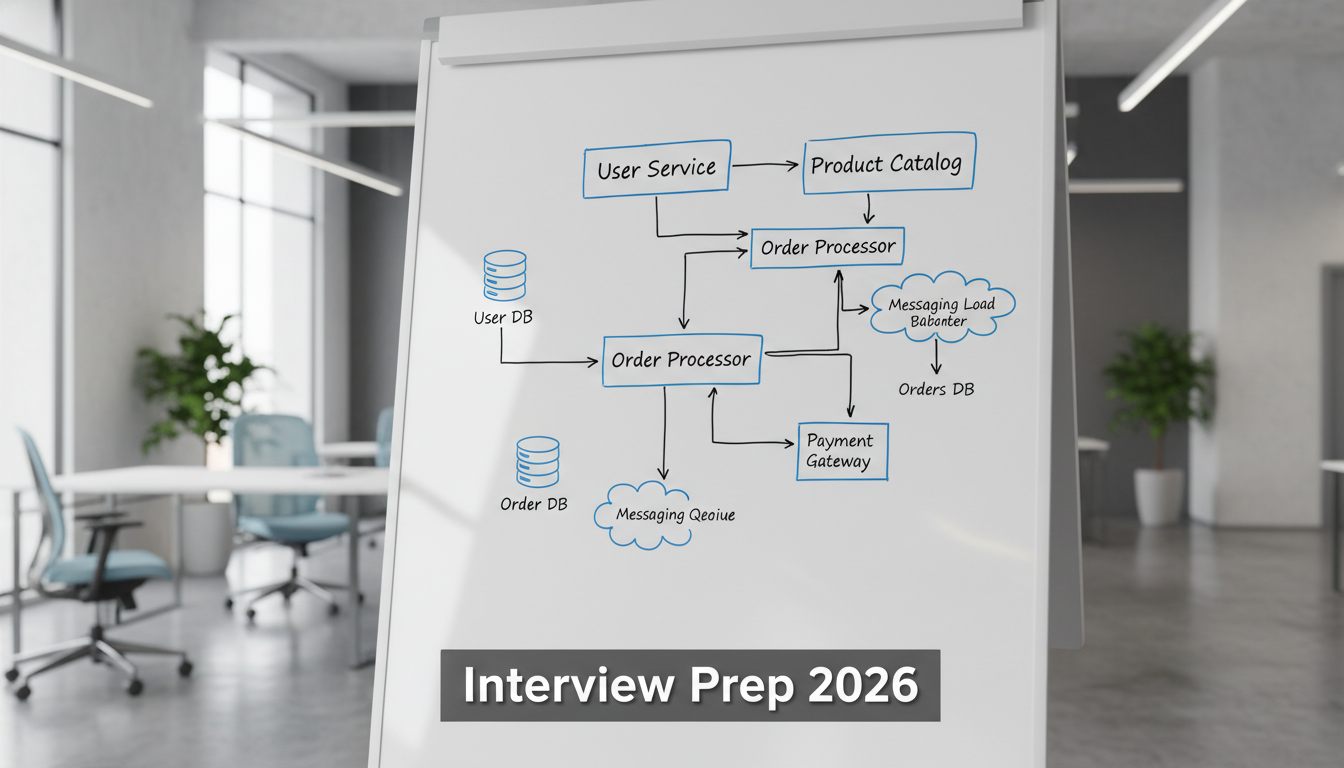
High-level design (10 minutes). Draw the major components and data flow. Start simple.
Deep dive (15–20 minutes). The interviewer will pick 1–2 areas to explore in detail. This is where you demonstrate depth.
Address trade-offs (5 minutes). Discuss what you would change at 10x or 100x scale. Acknowledge limitations.
Tip: Practice drawing system diagrams quickly. In remote interviews, tools like Excalidraw or the built-in whiteboard matter. Fumbling with the drawing tool wastes precious time.
Recommended Study Resources
"Designing Data-Intensive Applications" by Martin Kleppmann — The gold standard for understanding distributed systems fundamentals.
System Design Primer (GitHub) — Free, comprehensive overview of key concepts.
ByteByteGo — Visual explanations of system design concepts and common interview questions.
Behavioral Interview Prep
Technical skills get you to the final round. Behavioral interviews decide whether you get the offer.
The STAR Method
Structure every behavioral answer using STAR:
Situation: Set the context briefly (1–2 sentences).
Task: What was your specific responsibility?
Action: What did you do? Be specific about your contribution, not the team's.
Result: What was the measurable outcome? Quantify when possible.
Prepare Stories for These Categories
Have 2–3 polished stories ready for each:
Conflict resolution — Disagreement with a teammate or manager
Technical leadership — Driving a project or making a key architectural decision
Failure and learning — A mistake you made and what changed as a result
Collaboration — Working across teams or mentoring someone
Ambiguity — Navigating a project with unclear requirements
Keep each answer under 2 minutes. Practice with a timer. Long, meandering answers are the most common behavioral interview mistake.
Tech-Specific Behavioral Questions
Expect questions tailored to engineering:
"Tell me about a time you had to make a trade-off between shipping fast and code quality."
"Describe a debugging session where you were completely stuck. How did you break through?"
"How do you decide when to refactor existing code vs. build something new?"
Week-by-Week Study Plans
4-Week Intensive Plan
Best for experienced engineers who need a refresher.
Week | Focus | Daily Time |
|---|---|---|
1 | Core data structures and patterns (arrays, strings, hash maps, two pointers, sliding window). Solve 3–4 problems per day. | 2 hours |
2 | Trees, graphs, BFS/DFS, dynamic programming basics. Solve 2–3 problems per day. Start system design reading. | 2.5 hours |
3 | System design deep dive (2 designs per day). Advanced DP and graph problems. Begin behavioral story prep. | 3 hours |
4 | Full mock interviews (2–3 this week). Review weak areas. Polish behavioral stories. Light problem practice. | 2 hours |
8-Week Comprehensive Plan
Better for career changers or those returning to interview prep after a long break.
Week | Focus | Daily Time |
|---|---|---|
1–2 | Fundamentals: arrays, strings, hash maps, basic sorting. Language fluency. Solve 2 problems per day. | 1.5 hours |
3–4 | Intermediate patterns: two pointers, sliding window, binary search, stacks and queues. 2–3 problems per day. | 2 hours |
5–6 | Advanced: trees, graphs, DP, heaps. Start system design concepts. 2 problems per day plus 1 design per day. | 2.5 hours |
7 | System design practice (2 designs per day). Behavioral story writing and rehearsal. Mock interviews begin. | 2.5 hours |
8 | Full mock interviews (3–4 this week). Targeted review of weak patterns. Day-of logistics prep. | 2 hours |
Tip: Track your progress. Keep a spreadsheet of problems solved, patterns practiced, and confidence level (1–5) for each topic. This reveals blind spots faster than gut feeling.
Day-of Tips and Mindset
The 24 hours before and the morning of your interview matter more than most candidates realize.
The Night Before
Stop studying. No new problems after 6 PM. You will not learn anything meaningful, and you risk undermining your confidence.
Prepare your setup. Test your camera, microphone, and internet connection. Have a backup plan (phone hotspot, alternate device).
Lay out your environment. Water, notepad, pen. Close unnecessary browser tabs. Silence notifications.
Interview Morning
Eat a real meal. Your brain runs on glucose. Skipping breakfast is self-sabotage.
Arrive early (or log in early). Join the video call 2–3 minutes before the scheduled time. Use the waiting time to breathe and settle.
Warm up. Solve one easy problem (5–10 minutes) to activate your problem-solving mindset. Think of it as stretching before a workout.
During the Interview
Narrate your thinking. Silence is your enemy. Even when stuck, say "I'm considering whether a hash map or sorting would be more efficient here because..."
Ask clarifying questions. Interviewers expect it. "Can I assume the input is always valid?" or "Should I optimize for time or space?" shows maturity.
Do not panic when stuck. Step back, re-read the problem, and consider a brute force approach first. Interviewers evaluate your recovery process as much as your final answer.
Manage your time. If you have 45 minutes for a coding round, spend no more than 5 on clarification, 5 on planning, 25 on implementation, and 10 on testing and discussion.
The most important mindset shift: An interview is a conversation, not an exam. The interviewer wants you to succeed. They are evaluating whether they would enjoy working with you, not trying to catch you failing.
Start Preparing Today
Technical interview preparation 2026 rewards candidates who combine disciplined practice with smart use of AI interview practice tools. The engineers landing offers are not the most brilliant coders — they are the ones who prepared strategically, practiced consistently, and communicated clearly.
Pick your timeline (4 weeks or 8 weeks), block your daily practice hours, and start with the first pattern on the list. Use AI mock interviews to simulate pressure. Record yourself answering behavioral questions and listen back.
If you are ready to see what roles are waiting on the other side of that preparation, browse remote software engineering jobs in 2026 or explore open positions like Software Engineer at Sezzle and Data Engineer at Mento.
The interview is coming. You might as well be ready for it.
Frequently Asked Questions
How have technical interviews changed in 2026?
What are the three main areas tested in technical interviews?
Can you use AI tools during technical interviews?
How can I use ChatGPT or Claude to practice for technical interviews?
Do I still need to memorize algorithms for technical interviews in 2026?
Related Posts

AI + Careers Briefing — October 13, 2026

AI + Careers Briefing — October 12, 2026